GitHub — The Collaboration Platform
Module 03 45 min
Section Objectives
- Understand GitHub's role in the Git ecosystem
- Navigate GitHub's interface efficiently
- Manage your profile and repositories on GitHub
- Understand Issues, Discussions, and Stars
Git vs GitHub — Clear Distinction
| Git | GitHub | |
|---|---|---|
| Type | Local software | Online platform |
| Creator | Linus Torvalds, 2005 | Tom Preston-Werner, 2008 |
| Role | Version control | Hosting + collaboration |
| Cost | Free, open-source | Free (with paid tiers) |
| Requires the other? | No (works standalone) | Yes (needs Git) |
| Alternatives | — | GitLab, Bitbucket, Gitea |
GitHub Interface Overview
Key Sections
| Section | Description |
|---|---|
| Code | Files, branches, commits, releases |
| Issues | Bug reports, feature requests, task tracking |
| Pull Requests | Code review and merging proposals |
| Actions | CI/CD automation workflows |
| Projects | Kanban boards for project management |
| Wiki | Project documentation |
| Security | Vulnerability alerts, security advisories |
| Insights | Activity statistics, contributions, traffic |
| Settings | Repository configuration, access, webhooks |
Navigating a Repository
# Repository URL structure
https://github.com/{owner}/{repository}

# Examples
https://github.com/torvalds/linux           # Linux kernel
https://github.com/facebook/react           # React
https://github.com/your-username/your-repo  # Your repo
Setting Up Your GitHub Profile
Your GitHub profile is your professional portfolio. Make it count:
Profile Essentials
- Profile photo: Professional or personal — be recognizable
- Bio: 1-2 sentences, your role, technologies used
- Location: Optional, useful for networking
- Website/Blog: LinkedIn, personal portfolio, blog
- Pinned repositories: Your 6 best projects
- README profile: Special repo
username/usernamewith a README
Creating a Profile README
# 1. Create a repository with your EXACT username
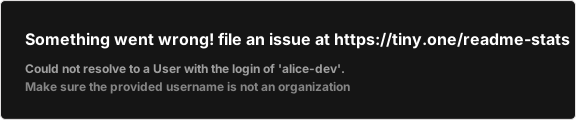
# Example: if your username is "alice-dev", create the repo "alice-dev"
gh repo create alice-dev --public

# 2. Add a README.md
# Hi, I'm Alice 👋
**Full-Stack Developer** | Python & JavaScript | Open Source Enthusiast
## About Me
- 🔭 Currently working on **[Project Name](link)**
- 🌱 Currently learning **Kubernetes and cloud architecture**
- 💬 Ask me about **Python, Django, React**
- 📫 Contact me: alice@example.com
## Technologies & Tools


## GitHub Stats
Issues — Task and Bug Tracking
Issues are GitHub's built-in project management system:
Creating a Good Issue
## Bug Report

### Description
Clicking "Add to Cart" on mobile devices does nothing.

### Steps to Reproduce
1. Open the website on a mobile phone (iOS Safari)
2. Navigate to any product page
3. Tap "Add to Cart"
4. Nothing happens — no feedback, no item added

### Expected Behavior
The item should be added to the cart with a confirmation notification.

### Actual Behavior
No visible reaction after tapping.

### Environment
- Device: iPhone 14 Pro
- OS: iOS 17.2
- Browser: Safari 17.2
- App version: v2.1.3

### Screenshots
[Add screenshots if available]
Issue Labels
| Label | Color | Use |
|---|---|---|
bug | Red | Something is broken |
enhancement | Blue | Feature improvement |
good first issue | Green | Good for newcomers |
help wanted | Yellow | Need community help |
documentation | Blue | Documentation updates |
question | Pink | Need more information |
wontfix | White | Won't be addressed |
duplicate | Gray | Already reported |
Referencing Issues in Commits
# Mention an issue in a commit (creates a link)
git commit -m "fix: correct mobile cart button #42"

# CLOSE an issue automatically when merging
git commit -m "fix: correct mobile cart button

Fixes #42
Closes #43"
Stars, Forks, and Watch
| Action | Meaning | When to Use |
|---|---|---|
| Star ⭐ | Bookmark + appreciation | Projects you like or want to find again |
| Fork 🍴 | Personal copy | Contribute to a project or customize it |
| Watch 👁️ | Get notifications | Follow a project's development |
Finding Quality Projects
# Useful GitHub search filters
is:public stars:>1000 language:python    # Python repos with 1000+ stars
topic:machine-learning stars:>500        # ML repos
user:microsoft language:typescript       # Microsoft TypeScript repos
GitHub CLI — GitHub from the Terminal
# Authentication
gh auth login

# Repository management
gh repo create my-project --public
gh repo clone username/repository
gh repo view
gh repo view --web       # Open in browser

# Issues
gh issue list
gh issue create
gh issue view 42
gh issue close 42

# Pull Requests
gh pr list
gh pr create
gh pr view 15
gh pr merge 15

# Workflow/Actions
gh run list
gh run view
GitHub Markdown Features
GitHub supports Markdown with special extensions:
<!-- Checkboxes (auto-rendered in issues/PRs) -->
- [x] Completed task
- [ ] Pending task

<!-- Code with syntax highlighting -->
```python
def hello():
    print("Hello GitHub!")
🚀 🐛 ✨ ⚠️
Thanks @alice for the review!
Fixes #42 See also: #35 #36
| Column 1 | Column 2 |
|---|---|
| Data 1 | Data 2 |
---

## Summary

| Concept | Description |
|---------|-------------|
| **Repository** | Project hosted on GitHub |
| **Issue** | Bug, feature, or question |
| **Star** | Bookmark/like a project |
| **Fork** | Personal copy of a project |
| **Watch** | Follow notifications |
| **GitHub CLI** | `gh` — manage GitHub from terminal |

---

## Next Steps

- [Remotes: push, pull, fetch](./remote-push-pull)
- [Fork & Clone: Open Source Contribution](./fork-clone)